Powerful and Positive Reasons Why Cursor AI Is Transforming Software Development
Introduction: What Is Cursor AI?
Cursor AI: Imagine you have an idea for a website, mobile application or online business, but you do not know how to write every line of code. Perhaps you are a college student learning Python, a beginner exploring web development or an experienced programmer working on a complicated software project. Where can you find a tool that helps you turn your ideas into working code?
One option is Cursor AI, an AI-powered code editor designed to help developers understand, write, edit and improve software more efficiently.
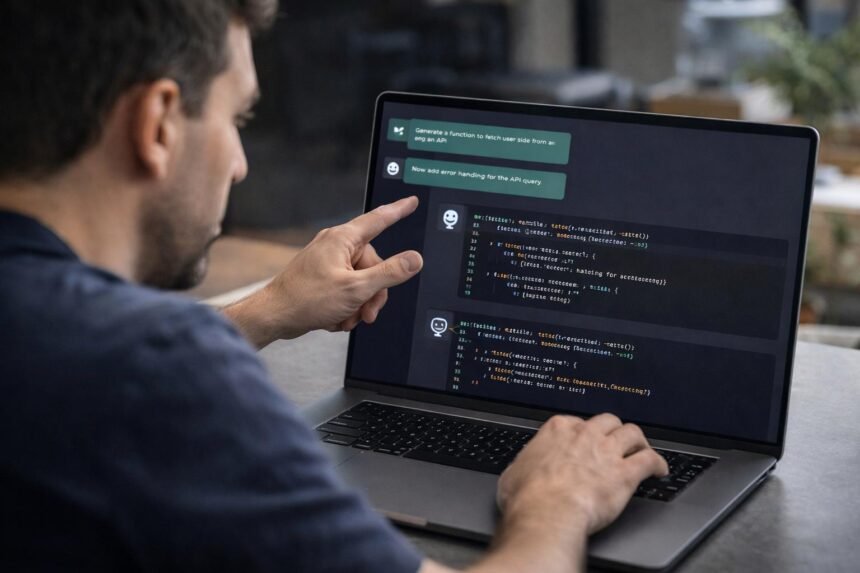
Traditional code editors primarily provide tools for writing and managing code. Cursor builds AI assistance directly into the development environment. Developers can describe a task in ordinary language, ask questions about a codebase, request changes across files and use AI agents to help complete coding workflows.
Cursor is developed by Anysphere and is built around an AI-first approach to software development. Its capabilities include code completion, codebase understanding, debugging assistance and agent-based workflows. Features and usage limits depend on the current version and subscription.
For students, Cursor offers an opportunity to learn programming through experimentation. For professional developers, it can reduce repetitive work and help explore unfamiliar projects. For entrepreneurs, it may make prototyping software ideas more accessible.
However, Cursor is not a magic button that guarantees perfect software. Generated code can contain errors, security weaknesses and incorrect assumptions. Human understanding, testing and review remain essential.
This Minorstudy guide explains everything readers need to know about Cursor AI, from its history and pricing to its real-world applications, limitations and career significance.
1. What Is Cursor AI and How Does It Work?
Cursor is an AI-first integrated development environment, commonly called an IDE or code editor. It is designed to make artificial intelligence a central part of the programming process rather than an entirely separate activity.
In a conventional workflow, a developer might search documentation, switch between a browser and editor, write code manually, debug errors and repeat the process several times.
Cursor can bring many of these activities into a single development environment.
For example, imagine that a student wants to create a personal portfolio website. The student can describe the required pages, design preferences and functionality. Cursor can help draft the code, explain the structure, modify files and investigate problems as development progresses.
Its AI capabilities may help with:
Code completion: Suggesting code as the developer types.
Natural-language coding: Turning instructions into proposed code changes.
Codebase understanding: Searching and interpreting relevant parts of a project.
Debugging: Investigating errors and suggesting possible fixes.
Refactoring: Improving code structure while preserving intended behaviour.
Agent workflows: Carrying out multi-step coding tasks with appropriate tools.
Code review: Identifying potential problems in proposed changes through supported review features.
Cursor’s official documentation describes its agent as capable of searching and editing code, using tools and assisting with terminal-based tasks. Developers can inspect proposed changes before accepting them.
The important difference is that Cursor is not simply a chatbot that writes isolated code snippets. It is designed to assist within the environment where software is actually built.
2. History and Evolution of Cursor AI
Cursor emerged during the rapid development of generative AI and AI-assisted programming.
2022: Anysphere is founded
A team of founders with MIT connections established Anysphere to explore ways of improving programming with artificial intelligence.
2023: Cursor reaches developers
Cursor emerged as an AI-assisted code editor, offering a workflow in which programmers could use AI while working directly with their projects.
2024: Growing focus on codebase-wide assistance
Cursor continued developing tools for code understanding, editing and larger programming tasks. In August, Anysphere announced a $60 million Series A funding round.
2025: More advanced AI agents
Cursor expanded its agent-oriented approach. In October 2025, the company announced Cursor 2.0 and its Composer coding model, alongside an interface designed to support multiple agents working in parallel.
Cursor
2026: A broader agent-based development workflow
Cursor continued moving toward a workspace where developers can coordinate AI agents, review their output and manage larger software tasks. Its April 2026 Cursor 3 announcement described a unified workspace for working with agents.
This timeline shows a wider change in programming: developers are increasingly moving from writing every instruction manually toward directing, reviewing and improving work produced with AI assistance.
3. Ten Powerful Benefits of Cursor AI
1. Helps beginners learn programming
Starting programming can feel intimidating. Students often encounter unfamiliar syntax, confusing error messages and projects that seem too complicated to understand.
Cursor can help explain existing code, suggest small changes and demonstrate how different functions work together.
For example, a student learning Python can ask why a loop produces an unexpected result. The student can then examine the explanation, run the program and test alternative solutions.
The best learning method is to attempt the problem first and use AI to clarify difficulties. Copying generated code without understanding it may help complete an assignment quickly but will not necessarily build programming skills.
2. Makes coding more productive
Developers often repeat tasks such as writing similar functions, updating configuration files and adding routine components.
Cursor can assist with these tasks by generating code suggestions and proposing changes across relevant files.
This may help developers spend less time on repetitive implementation and more time on architecture, problem-solving and user experience.
However, productivity gains are not automatic. Reviewing AI output, correcting mistakes and refining prompts also take time.
3. Understands larger codebases
Working on an unfamiliar project can be difficult because a software application may contain hundreds or thousands of files.
Cursor offers codebase-search and contextual assistance features designed to help developers locate relevant code and understand how different components interact.
For instance, a developer joining a web application project can ask where user authentication is handled or how a particular function connects to the database.
This can make onboarding and maintenance easier, although the developer should still inspect the original code and verify the explanation.
4. Supports debugging and problem-solving
Programming errors are a normal part of software development. A missing variable, incorrect dependency or unexpected API response can prevent an application from working.
Cursor can help investigate error messages, inspect relevant code and suggest potential fixes.
A useful approach is to provide the error message, explain what should happen and describe what actually happens. This gives the AI more context.
After applying a fix, developers should run tests and confirm that the original issue has been resolved without introducing new problems.
5. Makes code refactoring easier
Refactoring means improving the internal structure of code without changing its intended functionality.
As projects grow, developers may need to rename functions, remove duplication, improve readability or reorganise modules.
Cursor can assist with these changes and suggest modifications across multiple files. Developers should inspect the proposed differences and run tests to ensure the application still behaves correctly.
6. Helps build websites and applications
Students and entrepreneurs often have ideas for useful digital products but lack the experience to implement them.
Cursor can help develop early versions of websites, dashboards, scripts, small applications and other software projects.
For example, a student might build a personal portfolio with a homepage, project gallery and contact form. Cursor can help draft the components and investigate styling or functionality problems.
Building a working product still requires understanding requirements, selecting suitable technologies, testing behaviour and deploying the application securely.
7. Supports experienced developers
AI coding tools are not limited to beginners. Experienced programmers can use Cursor to explore unfamiliar libraries, generate test cases, investigate complex bugs and compare implementation approaches.
Developers can also use AI assistance during code reviews and maintenance work.
The benefit is strongest when the developer already understands the project well enough to judge whether the suggested solution is appropriate.
8. Encourages experimentation and creativity
Sometimes a developer knows what they want to build but is unsure how to implement it.
Cursor allows users to describe ideas, test alternative approaches and revise code through conversational instructions.
A student designing an educational website could experiment with different layouts, quiz components or navigation structures without beginning every change from scratch.
This encourages experimentation, but generated designs and code should still be evaluated for accessibility, performance and usability.
9. Supports teamwork and review
Professional software development requires collaboration, documentation and careful review.
Cursor offers team-oriented plans and supported review tools that can help organisations coordinate development and examine proposed changes. Specific capabilities depend on the subscription and configuration.
Teams must establish clear rules about who approves changes, how tests are run and which code can be accessed by AI tools.
10. Opens new learning and career opportunities
AI-assisted programming is creating opportunities for students to explore software development through practical projects.
Learners can use Cursor while studying web development, Python, automation, data tools or application development.
However, using Cursor alone does not make someone a professional developer. Employers and clients still value problem-solving, programming fundamentals, communication, debugging and the ability to maintain reliable software.
The strongest career strategy is to combine AI tools with real technical knowledge and a portfolio of independently understood projects.
4. Important Cursor AI Features
Intelligent code completion
Suggests relevant code while you type and can assist with edits across multiple lines.
AI agents
Helps carry out multi-step coding tasks using available project context and tools.
Codebase search
Helps find relevant functions, files and relationships across a project.
Debugging and code review
Can investigate problems and help identify potential issues in code changes.
Multi-file editing
Helps coordinate related modifications across files while allowing developers to inspect the resulting changes.
For the latest feature descriptions, consult the official Cursor product page and documentation.
5. Cursor AI Pricing and Costs in India
Before choosing Cursor, students and developers should understand that AI coding tools may involve subscription fees, usage limits and additional charges for certain services.
Cursor’s published documentation distinguishes its newer subscription offering from legacy Cursor plans. As a result, prices seen in older reviews may not match the plans offered to new customers.
The following table summarises the main pricing information currently documented. Prices can change, and the checkout page for your account should be treated as the final reference.
| Plan or offering | Published price | Best suited for |
|---|---|---|
| Free access | $0/month | Beginners exploring AI coding |
| Cursor Start (India, legacy plan) | ₹649/month, tax-inclusive | Indian users on this plan |
| Cursor Pro (legacy plan) | $20/month | Individual developers |
| Cursor Pro+ (legacy plan) | $60/month | Developers needing higher usage |
| Cursor Ultra (legacy plan) | $200/month | Heavy AI coding workloads |
| Teams Standard (legacy plan) | $40/user/month | Development teams |
| Enterprise | Custom pricing | Organisations needing enterprise controls |
These are documented prices for the named plans, not a guarantee that every plan is available to new customers. Legacy subscriptions retain their existing terms unless changed or cancelled.
What affects the total cost?
Your subscription and included usage allowance.
The AI models you choose.
How frequently you use coding agents.
Whether additional usage or separate tools are billed.
Taxes, currency conversion and payment terms.
Advice for Indian students: Start with free access if available, practise on small projects and upgrade only when you understand your usage needs. Never assume that a subscription provides unlimited access to every AI model or agent feature.
Check Cursor’s official pricing page before making a purchase.
6. Cursor AI vs GitHub Copilot vs Visual Studio Code
These tools serve related but different purposes. The right choice depends on your programming experience, preferred workflow and budget.
| Feature | Cursor | GitHub Copilot | Visual Studio Code |
|---|---|---|---|
| Main purpose | AI-first code editor | AI coding assistance | General-purpose code editor |
| AI integrated into workflow | Yes | Yes, through supported integrations | Via extensions and integrated features |
| Code completion | Yes | Yes | Depends on installed extensions |
| Codebase-aware assistance | Designed as a core feature | Available through supported features and plans | Depends on extensions and tools |
| AI agents | Available on supported plans | Available features depend on plan and environment | Depends on extensions and integrations |
| Free option | Available | Free options available | Free editor |
| Best starting point | Developers wanting an AI-first editor | Developers who prefer existing workflows | Learners who want a flexible, extensible editor |
Which one should you choose?
Choose Cursor if you want AI assistance to be central to your editing and coding workflow.
Choose GitHub Copilot if its supported features fit your existing tools and development habits.
Choose Visual Studio Code if you prefer a flexible editor and want to select your own extensions. You can also use AI features with supported extensions.
These products change frequently, so compare their current capabilities rather than relying entirely on older reviews.
7. Seven Important Facts About Cursor AI
Cursor is an AI-first code editor. It combines conventional editing with AI-assisted programming features.
- It is developed by Anysphere. The company focuses on improving software development through AI.
It emerged in 2023. Cursor became part of the wider movement toward generative AI-assisted programming.
It can work across multiple files. Its tools can help developers understand and modify code throughout a project.
It supports agent-based workflows. Agents can assist with multi-step tasks, subject to the tools and permissions available.
It offers free and paid access options. Usage limits, included features and pricing depend on the plan.
It does not guarantee perfect code. Testing, code review and security checks remain essential.
8. Daily-Life Impacts of Cursor AI
Cursor’s effects are most visible in the everyday activities of people who build or maintain software.
For students
Cursor can help learners practise programming, understand unfamiliar syntax and develop projects for their portfolios. It works best when students solve problems themselves and use AI to clarify difficult concepts.
For software developers
It can assist with code completion, debugging, refactoring and understanding unfamiliar projects, potentially reducing repetitive work.
For entrepreneurs
Founders can use AI-assisted coding to explore product ideas, create prototypes and test concepts before committing to a larger development effort.
For development teams
AI assistance can help with routine coding, documentation and review tasks. Teams still need clear approval processes and shared quality standards.
The broader impact is a potential reduction in the effort required to move from an idea to an early software prototype. But faster code generation does not automatically mean a better product. Reliability, accessibility, security and user needs remain important.
9. Significance of Cursor AI for Education and Society
Software affects education, healthcare, transportation, banking, communication and countless other areas of life. Tools that help people build software can therefore influence more than the technology industry.
Making software development more accessible
AI-assisted coding can lower some initial barriers for people who have ideas but limited programming experience. Students may find it easier to experiment with websites, simple applications and automation projects.
Supporting innovation
Entrepreneurs and small teams can use coding assistance to explore ideas and develop early prototypes. This may help them test whether a product is useful before investing heavily in development.
Changing the skills employers value
As AI tools take on more routine coding tasks, developers may need to place greater emphasis on architecture, testing, system design, security and communication.
This does not mean programming fundamentals are becoming irrelevant. Understanding code becomes even more important when a developer must evaluate work generated by AI.
Encouraging responsible technology
Wider access to software creation also creates responsibilities. Poorly reviewed code can introduce security vulnerabilities, data leaks or unreliable services.
Educational institutions and businesses should therefore teach secure coding, privacy awareness, testing and responsible AI use alongside productivity techniques.
10. Risks and Limitations You Should Know
Cursor can be useful, but users should understand its limitations before relying on it for important work.
Incorrect code: AI-generated solutions may contain logical errors, unsupported assumptions or incorrect use of libraries.
Security vulnerabilities: Generated code can introduce insecure authentication, unsafe input handling or exposed secrets. Developers should use security checks and follow established practices.
Privacy and confidential data: Before using Cursor on a company project, review its privacy settings, applicable policies and organisation requirements. Cursor documents a Privacy Mode with specific commitments regarding the use of code data; users should read the current terms and security documentation to understand the scope.
Overdependence: Beginners who accept every suggestion without understanding it may struggle to debug or maintain their projects later.
Usage costs: Some plans and model choices have usage limits or additional billing arrangements. Check the terms rather than assuming all activity is included.
Testing requirements: A project that runs successfully on one machine may still fail in production. Applications need appropriate automated tests, dependency checks, security reviews and deployment procedures.
The best approach is to treat Cursor as a development assistant, not as a replacement for engineering responsibility.
11. Review Section: Is Cursor AI Worth Using?
Cursor AI Review
Editorial assessment for students, developers and businesses
Overall verdict
Cursor is worth trying if you write code regularly or want to learn software development through practical projects. Its AI-first workflow is especially useful when you need help understanding existing code and making related changes across a project.
This is an editorial assessment of Cursor’s documented capabilities, not a controlled performance benchmark or a survey of customer ratings.
Advantages
Integrates AI assistance into the coding workflow.
Helps with code completion, editing and debugging.
Supports work across multiple files.
Can assist with learning and prototyping.
Provides free access for beginners to explore.
Disadvantages
AI-generated code can contain errors.
Advanced usage may require a paid subscription.
Some features have usage limits or additional costs.
Beginners still need to understand programming fundamentals.
Sensitive projects require careful privacy and security reviews.
Who should use Cursor? Computer science students, web developers, software engineers, startup founders and technical professionals who want to explore AI-assisted programming.
Who should be cautious? Beginners who intend to copy code without learning it, developers handling highly sensitive projects without reviewing privacy requirements, and users who expect AI to deliver production-ready software without testing.
12. Career Opportunities for Students Using Cursor AI
For students, Cursor can be a useful part of a practical learning strategy. It can help them experiment with projects while learning the fundamentals needed for a career in technology.
Potential career paths include:
Front-end developer
Back-end developer
Full-stack developer
Python developer
AI application developer
Software test engineer
Automation engineer
Mobile application developer
DevOps or cloud engineering professional
Cybersecurity professional
Cursor does not directly qualify someone for these jobs. Each role requires relevant technical knowledge, practice and demonstrated skills.
Five projects students can build
1. Personal portfolio website
Learn HTML, CSS, JavaScript and responsive design while creating a website to showcase your skills.
2. Student task manager
Practise forms, data storage, application logic and user-interface design.
3. Educational quiz application
Build quizzes, scoring features and explanations that help students revise lessons.
4. Data analysis dashboard
Learn Python, data processing and visualisation using a suitable sample dataset.
5. Small business inventory system
Practise databases, product records, search functionality and basic reporting.
For every project, make sure you can explain the code, test the features and describe what you learned. A smaller project you fully understand is often more valuable than a large project you cannot maintain.
13. Frequently Asked Questions About Cursor AI
What is Cursor AI used for?
Cursor is used for AI-assisted software development, including code completion, writing and editing code, debugging, refactoring, codebase exploration and agent-based coding tasks.
Is Cursor AI free?
Yes. Cursor offers free access with limited AI usage. Paid plans provide different usage allowances and features. Check the official pricing page for current options.
Is Cursor good for beginners?
Yes, it can help beginners understand code and develop projects. However, students should learn programming fundamentals and test every important change rather than copying AI-generated code blindly.
Can Cursor build a complete website?
Cursor can help generate and modify many parts of a website, including pages, styling and functionality. A complete website still requires suitable architecture, testing, deployment, security and ongoing maintenance.
Does Cursor support Python?
Cursor can assist with Python development and other programming languages. The usefulness of its suggestions depends on the task, project context and available AI models.
Is Cursor better than Visual Studio Code?
It depends on your requirements. Cursor focuses on AI-first development, while Visual Studio Code is a flexible editor with a large extension ecosystem. Developers should compare their workflows and costs before choosing.
Is Cursor better than GitHub Copilot?
Neither is best for everyone. Cursor provides an AI-first editing experience, while GitHub Copilot integrates AI assistance into supported development environments. Features and pricing change, so compare their current offerings.
Can Cursor replace software engineers?
Cursor can automate or assist with some programming tasks, but it does not eliminate the need for software engineering knowledge. Developers still need to understand requirements, make architectural decisions, evaluate security and maintain applications.
Is Cursor safe for private source code?
Safety depends on your configuration, plan, organisation policies and the applicable data-handling terms. Review Cursor’s official security information before using it with confidential code.
Can students use Cursor to earn money?
Students may use Cursor to help develop websites, applications and automation projects that support freelance work or entrepreneurship. Earning money depends on their skills, the quality of their work, client requirements and market demand.
Does Cursor require coding knowledge?
Basic coding knowledge is helpful but not strictly necessary for every beginner experiment. To build reliable applications and understand generated solutions, programming fundamentals are essential.
14. Important Points to Remember
Cursor is an AI-first code editor developed by Anysphere.
It emerged in 2023 and has evolved toward agent-based software development.
Its features include code completion, codebase exploration and AI-assisted editing.
It can help students learn programming through practical projects.
Free access is available, while paid plans offer different usage allowances.
Pricing and subscription structures can change, so verify current terms.
AI-generated code must be reviewed, tested and checked for security.
Developers remain responsible for the quality and reliability of their software.
The best results come from combining AI assistance with technical understanding.
Conclusion: A Positive Future for AI-Assisted Software Development
Cursor AI represents an important development in the way people build software. By combining an editor with AI-assisted coding and agent-based workflows, it helps developers approach programming tasks in a different way.
For students, it can make learning more interactive and encourage practical experimentation. For professional developers, it can assist with repetitive tasks, codebase exploration and debugging. For entrepreneurs, it can help turn an initial idea into a prototype that can be tested and improved.
Yet speed should never be the only measure of success. Software must also be secure, understandable, reliable and useful to the people who depend on it. AI-generated code requires thoughtful review, and programmers need the knowledge to identify mistakes.
For students exploring careers in technology, the most effective approach is to learn the fundamentals, build practical projects, use Cursor to investigate problems and develop the ability to evaluate its suggestions.
The real opportunity is not to let AI do all the thinking, but to use AI to become a better thinker, learner and developer.
Minorstudy encourages students and aspiring innovators to explore technology with curiosity, discipline and responsibility. Start small, practise consistently, understand your code and keep learning.
Best wishes for students and future developers
May every learner gain the confidence to turn ideas into useful projects, the patience to solve difficult problems and the determination to keep improving. May AI-assisted technology create more opportunities for education, innovation and meaningful progress throughout society.
Minorstudy wishes all aspiring developers a successful journey filled with knowledge, creativity and positive growth.