10 Powerful and Positive Reasons Why Google NotebookLM Is Transforming Research and Learning
Introduction: What Is Google NotebookLM?
Google NotebookLM: In today’s digital world, students, teachers, researchers, content creators, and professionals often face the same problem: there is too much information and too little time to understand it all. A student may have hundreds of pages of notes before an examination. A researcher may need to compare several reports. A teacher may want to convert lengthy reading material into simple explanations for learners.
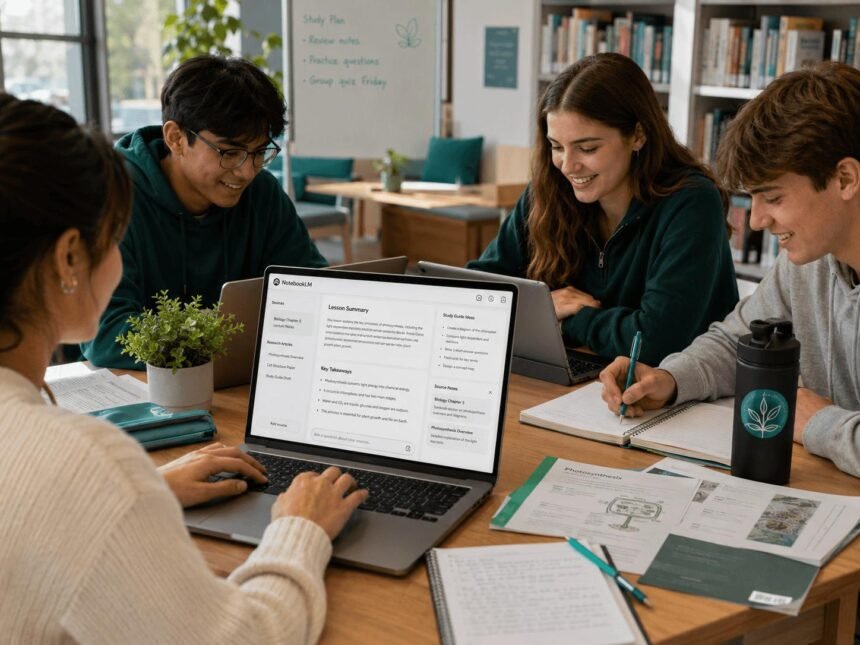
This is where Google NotebookLM can help. NotebookLM is an AI-powered research and learning assistant designed to work with sources that users provide. Instead of relying only on general questions and answers, it helps users understand uploaded or connected materials, organise important ideas, summarise documents, and explore information through questions and answers.
One of its distinctive features is its ability to generate Audio Overviews, which turn source material into an audio discussion that can help users review information in a more conversational format.
For students, NotebookLM can support revision and research. For teachers, it can help organise learning resources. For working professionals, it can simplify reports and documentation. However, it is not a substitute for critical thinking, fact-checking, or reading important original sources.
This complete guide explains NotebookLM’s history, features, potential costs, benefits, limitations, timeline, practical uses, social significance, and frequently asked questions.
1. What Is Google NotebookLM and How Does It Work?
NotebookLM is a source-grounded AI assistant developed by Google. It helps users work with a collection of documents and other supported sources within a notebook.
The basic process is straightforward:
Create a notebook: Start a notebook for a subject, project, research question, or work assignment.
Add sources: Provide supported documents, text, or other source types available in the current version.
Ask questions: Request summaries, explanations, comparisons, definitions, or answers based on the material.
Explore insights: Use generated notes, study aids, and other available features to review the information.
Check the evidence: Follow citations or source references and verify important claims against the original material.
For example, a student preparing for a history examination might add class notes, textbook extracts, and historical documents to a notebook. They could ask for a chapter summary, a timeline of major events, or practice questions based on those sources.
A researcher could use a notebook to compare several reports and identify where their findings agree or differ. A teacher could organise lesson material and develop revision resources.
NotebookLM can make information easier to navigate, but the quality of its responses depends partly on the quality, relevance, and completeness of the sources supplied.
2. History and Development of Google NotebookLM
NotebookLM emerged from Google’s work on AI-assisted note-taking and document understanding. It was introduced as an experimental product before evolving into a broader research and learning tool.
A brief timeline
2023
Project launch
Google introduced the product initially as Project Tailwind, an experimental AI notebook concept, and later presented it as NotebookLM.
2023–24
Broader availability
The product developed from an experimental notebook into a more widely available source-based research assistant.
2024
Audio Overviews
Audio Overviews brought a conversational listening format to supported source material, giving users another way to review information.
2025 onward
Expanding learning tools
Google continued developing NotebookLM’s capabilities and integrations. Specific features, access rules, and usage limits may change over time.
The wider development of NotebookLM reflects an important shift in artificial intelligence: from systems that mainly answer general questions to tools that help people understand their own collections of information.
For the latest feature announcements, consult the official NotebookLM website and Google’s NotebookLM blog and updates.
Important update for readers in 2026: Google’s official product pages now refer to NotebookLM as Gemini Notebook (formerly NotebookLM) in some regions and product experiences. The familiar NotebookLM name remains widely recognised, so this article uses both names where helpful. Features, branding, and availability can vary by account and region.
3. 10 Powerful Benefits of Google NotebookLM
1. Saves time when studying
Reading long documents can take hours. NotebookLM can summarise key ideas and help users identify the most relevant information faster. Students can use these summaries to plan revision, while professionals can use them to prepare for meetings.
2. Provides source-based answers
NotebookLM is designed to answer questions using the materials in a notebook and provide citations that help users locate supporting information. This can make checking an answer easier, although citations do not guarantee that every interpretation is correct.
3. Turns reading into listening
Audio Overviews can transform source material into a podcast-like discussion. This may help learners review a subject while commuting, walking, or taking a break from reading. Listening should complement, not completely replace, careful study.
4. Helps prepare for examinations
Depending on the features available, students can create flashcards, quizzes, study guides, and other revision resources from their sources. Practising answers and reviewing mistakes can make learning more active than simply rereading notes.
AI Study Tool for Students
5. Supports research and comparison
Researchers can collect reports, papers, and other relevant sources in one place. They can ask for comparisons, recurring themes, and differences between documents, then verify the findings before using them in academic or professional work.
6. Assists teachers and educators
Teachers can organise lesson material, generate revision questions, and develop alternative explanations for difficult topics. They should review every generated resource for accuracy, age suitability, and alignment with the curriculum.
7. Simplifies professional documents
Reports, policy documents, meeting notes, and manuals can contain large amounts of information. NotebookLM can help users extract main points and locate relevant details, making preparation and internal knowledge-sharing more manageable.
8. Makes connections easier to see
Mind maps and other generated formats, where available, can help learners understand how different concepts relate to one another. This is useful when studying broad subjects such as environmental science, history, economics, or artificial intelligence.
9. Helps organise group projects
A shared notebook can help teams work from a common set of sources. Students can use it for presentations, while organisations can use it to locate information in approved documents. Users should always review sharing permissions before inviting others.
10. Encourages independent learning
Learners can ask follow-up questions, explore unfamiliar terms, and test their understanding. Used responsibly, NotebookLM can help people become more confident researchers rather than depending on someone else to explain every topic.
4. Google NotebookLM Features You Should Know
The available feature set may depend on the user’s plan, location, age, and account type. Google’s student-focused product information describes several useful capabilities.
| Feature | What it can do | Best suited for |
|---|---|---|
| Source-based chat | Answer questions using provided material | Students and researchers |
| Summaries | Condense lengthy sources | Busy learners and professionals |
| Audio Overviews | Create conversational audio summaries | Listening-based revision |
| Flashcards | Support recall and self-testing | Exam preparation |
| Quizzes | Test understanding of source material | Students and teachers |
| Mind maps | Show connections between ideas | Concept-based learning |
| Study guides and reports | Organise material into structured outputs | Research and projects |
| Video Overviews and slide decks | Present material in visual or presentation formats, where available | Teaching and presentations |
The most useful feature is not necessarily the newest one. It is the feature that solves a real problem in your daily work.
For example, if you struggle to remember definitions, flashcards may be more helpful than an audio summary. If you need to compare several policy reports, source-based chat may be the better starting point.
5. Google NotebookLM Cost in India
NotebookLM has offered free access, while higher usage limits and additional capabilities may be available through eligible Google AI subscriptions or qualifying Google Workspace plans. Pricing and benefits can change, so check the current official plan details before purchasing.
Here is a practical cost guide for Indian users.
| Option | Indicative cost | Who should consider it? |
|---|---|---|
| Standard/free access | ₹0 | Students and beginners testing the tool |
| Google AI Plus | ₹399/month on the currently listed India page | Users wanting additional AI access and Notebook features |
| Google AI Pro | ₹1,950/month on the currently listed India page | Frequent users who need higher usage limits and other included AI benefits |
| Google AI Ultra | Premium pricing; check the current plan page | Heavy users with advanced requirements |
| Eligible Workspace plans | Varies by subscription and organisation | Schools, colleges, and businesses |
These are subscription prices, not separate NotebookLM-only prices. A paid plan may include other Google AI services and storage. The exact NotebookLM limits and benefits depend on the plan.
Is NotebookLM worth the cost?
For many students, starting with the free option is sensible. Try it with class notes, public educational materials, or a small research project before deciding whether you need a paid subscription.
A paid plan may be worth considering if you regularly hit usage limits or benefit from additional features. However, paying for an AI subscription does not automatically improve the quality of your study habits or guarantee better examination results.
Money-saving tip: If you are a student, check whether your school or university provides access through Google Workspace for Education before buying an individual subscription.
6. Interesting Facts About Google NotebookLM
Here are some important facts readers should understand before using this AI tool.
It is designed around sources. Users can build a notebook from documents and other supported materials instead of relying only on open-ended questions.
Citations help with verification. Source references can make it easier to find the material behind an answer, but users still need to read the relevant passage and check the interpretation.
It supports different learning formats. Depending on availability, users can turn their sources into audio, visual, and interactive study materials.
- It can work with more than traditional text documents. Google’s documentation lists supported formats such as PDFs, Google Docs, Google Slides, web pages, public YouTube URLs, and audio files. The exact supported formats may change.
It is not an infallible research authority. An incomplete source collection can produce an incomplete answer, and AI-generated explanations may contain errors.
Its name and features can evolve. Google’s product pages have begun using the name Gemini Notebook in some contexts, so users may see different branding across pages or accounts.
7. How Students Can Use NotebookLM: A Practical Guide
Students do not need to use every feature at once. A simple routine can provide meaningful benefits.
A five-step study routine
1
Collect reliable sources
Add your teacher’s notes, permitted textbook material, class handouts, or other trustworthy documents.
2
Ask for a simple explanation
Example: “Explain the main concepts in these notes in simple language, and identify the important terms.”
3
Generate practice material
Example: “Create 15 revision questions from these sources, including five challenging questions and answers.”
4
Test yourself before checking answers
Try answering questions from memory. Use flashcards or quizzes if available, and revisit concepts you get wrong.
5
Verify and revise
Check important facts against the original notes, correct misunderstandings, and write your own final revision sheet.
Useful prompts for students
These examples can be adapted to science, mathematics, history, commerce, technology, or competitive examination preparation.
“Summarise these sources into 10 key points without removing essential details.”
“Explain this topic as if I am learning it for the first time.”
“Create a chronological timeline of the events mentioned in these documents.”
“Compare the arguments in these sources and identify their differences.”
“Generate exam-style questions and provide explanations for the answers.”
“Identify which important questions these sources do not answer.”
“Explain the difficult terms and give simple examples.”
“Create a revision plan based on the topics covered in these materials.”
For subjects requiring calculations, laboratory knowledge, legal interpretation, or current factual information, students should verify the results independently.
8. NotebookLM Compared With Other AI Tools
NotebookLM, ChatGPT, and Google Gemini can overlap in some tasks, but they are not identical in their main strengths.
| Tool | Main strength | Useful for |
|---|---|---|
| Google NotebookLM / Gemini Notebook | Working with a defined collection of sources | Document analysis and source-based revision |
| ChatGPT | General-purpose assistance, reasoning, drafting, and problem-solving | Brainstorming, explanations, writing, and coding support |
| Google Gemini | General AI assistance with Google ecosystem integrations and available multimodal tools | Everyday questions, writing, and productivity |
The best choice depends on the task. A student comparing five research papers may prefer NotebookLM’s source-centred workflow. Someone developing an original essay outline may use ChatGPT or Gemini, then use NotebookLM to investigate the source material.
These tools can complement one another, but users should not assume their answers are automatically accurate simply because multiple AI systems agree.
9. Daily-Life Impact of NotebookLM
AI research assistants can influence ordinary activities in several ways.
For students: They can help turn lengthy notes into revision resources, making it easier to plan study sessions. Students still need to solve problems, recall information independently, and understand the material rather than memorising AI-generated summaries alone.
For teachers: Educators can prepare question banks, simplify complex reading material, and organise resources. Reviewing the generated material remains essential, particularly when teaching younger students.
For working professionals: Employees can search and summarise approved reports, policies, and manuals. This can reduce the time spent locating information, although important business decisions require careful human review.
For parents and lifelong learners: People exploring unfamiliar topics can use explanations and summaries to get started. They should choose trustworthy sources and avoid treating an AI response as professional medical, legal, or financial advice.
For content creators: Writers can organise background research, compare sources, and identify topics that need further investigation. They must still verify facts, respect copyright, and produce original work.
The main everyday benefit is not simply doing more work in less time. It is helping people spend more effort understanding, questioning, and applying information.
10. Significance of NotebookLM for Education and Society
Access to reliable information can influence educational opportunity. A student who does not have a private tutor may benefit from tools that explain difficult material and create practice questions from available learning resources.
For schools and educational organisations, source-based AI tools may support lesson preparation and make large collections of teaching material easier to navigate. In workplaces, they can help staff understand complex documentation and share knowledge more efficiently.
However, access to AI alone cannot solve every educational challenge. Reliable internet access, digital literacy, accessible devices, good teaching, and high-quality learning materials remain important.
Society must also address several concerns:
Accuracy: AI-generated content can be incomplete or misleading.
Privacy: Personal, confidential, or sensitive documents should not be uploaded without appropriate permission and an understanding of the applicable terms.
Academic integrity: Students should follow their institution’s rules and submit work that reflects their own understanding.
Fair access: Differences in devices, connectivity, language support, and paid-plan access can create unequal experiences.
Critical thinking: Learners must be encouraged to question evidence rather than accept every generated response.
Used thoughtfully, NotebookLM can support education. Used carelessly, it can encourage overdependence on automated summaries. The difference lies in how people use the tool.
11. Important Limitations and Safety Tips
NotebookLM is useful, but no AI research assistant should be treated as a perfect authority.
Check citations: Open the cited source and make sure it genuinely supports the answer.
Use trustworthy material: Poor-quality or outdated sources can lead to poor-quality summaries.
Protect confidential information: Review your organisation’s policies before uploading private files.
Avoid plagiarism: Use summaries as learning aids, not as a substitute for original work or proper citations.
Check important claims: Verify statistics, dates, quotations, medical information, and legal details with reliable primary sources.
Understand source limitations: If you upload only one perspective on a topic, the output may not reflect other relevant viewpoints.
Review generated audio and visuals: Audio Overviews and other generated formats can simplify or misrepresent details, so compare them with the source material.
For further details, consult Google’s official NotebookLM/Gemini Notebook help resources.
12. Google NotebookLM Review: Is It Worth Using?
Google NotebookLM
AI-powered research and learning assistant
Practical assessment
What works well
Source-based questions, document summaries, citations, and different study formats can make research more organised and accessible.
What needs improvement or caution
AI can misunderstand context, overlook important details, or generate misleading explanations. Some capabilities also depend on plan and availability.
Who should try it?
Students, teachers, researchers, professionals, and content creators who regularly work with large collections of documents.
Value for money
The free option is a sensible starting point. Consider a paid Google AI plan only if its additional limits and bundled features justify the expense.
Our review: NotebookLM is a promising tool for people who need to understand specific documents rather than merely ask general questions. Its source-centred approach and audio-based learning options make it especially interesting for education and research. Its greatest value comes when users combine AI assistance with their own judgement and careful verification.
This is an editorial assessment of the product’s described capabilities, not a hands-on benchmark or a guarantee of results.
13. Observance, Wishes, and a Positive Message for Learners
Unlike an annual festival or international awareness day, Google NotebookLM does not have a specific yearly observance associated with its use. Nevertheless, it offers an opportunity to promote a valuable principle: learning should be continuous, curious, and responsible.
Here are some positive wishes and messages for students, teachers, and lifelong learners:
May your curiosity lead you to new knowledge and meaningful discoveries.
May technology make your learning journey easier while your own thinking makes it wiser.
May every question you ask bring you closer to understanding.
May students everywhere have access to quality education, useful resources, and opportunities to grow.
May we use artificial intelligence to support human creativity, not replace human responsibility.
For students, the most important lesson is simple: tools can help you study, but consistent effort, patience, discipline, and independent thinking are what turn information into knowledge.
14. Frequently Asked Questions (FAQs)
1. What is Google NotebookLM used for?
It is used to understand and organise source material, answer questions about documents, summarise information, and create study resources such as audio overviews, quizzes, or flashcards where available.
2. Is Google NotebookLM free?
NotebookLM has offered a free standard experience. Additional usage limits and features may be available through eligible Google AI subscriptions or Google Workspace plans. Check the current official plan information for the latest details.
3. Is NotebookLM useful for students?
Yes. Students can use it to organise notes, understand difficult concepts, create practice questions, and revise from their own learning materials. They should verify answers and follow their school’s rules on AI use.
4. Can NotebookLM summarise PDFs?
Yes. PDFs are among the supported source types described in Google’s documentation. The result depends on whether the document can be processed correctly and whether its content is clear.
5. Can NotebookLM create audio summaries?
Yes. Its Audio Overview feature can turn supported source material into a conversational audio summary. The generated discussion may omit details or contain inaccuracies, so it should not be treated as a complete substitute for the source.
6. Is NotebookLM the same as Gemini?
Not exactly. NotebookLM, also referred to as Gemini Notebook on some current Google pages, focuses on working with a collection of sources. The general Gemini assistant is designed for a wider range of tasks. Their features and integrations may overlap.
7. Does NotebookLM always give correct answers?
No. It can make mistakes, misunderstand context, or draw an incorrect conclusion from a source. Check citations, compare relevant passages, and verify important claims independently.
8. Can NotebookLM help with competitive examinations?
It can support revision by summarising permitted study materials and generating practice questions. It should supplement, rather than replace, the official syllabus, textbooks, previous-year papers, and independent practice.
9. Can teachers use NotebookLM to prepare lessons?
Yes. Teachers can use it to organise teaching resources and create draft study guides, quizzes, or explanations. All materials should be reviewed before classroom use.
10. Is NotebookLM safe for confidential documents?
Users should review Google’s current privacy terms and their organisation’s rules before uploading sensitive information. Avoid adding confidential personal, student, client, or business data unless the relevant permissions and protections have been confirmed.
11. Can NotebookLM replace a teacher or researcher?
No. It can assist with information processing, but teachers and researchers contribute judgement, experience, context, ethical responsibility, and human understanding that an AI tool cannot reliably replace.
12. How can beginners get started?
Visit NotebookLM, sign in with an eligible account, create a notebook, add a small collection of reliable sources, and ask a specific question. Begin with a simple task, check the response against its sources, and explore additional features as needed.
15. Conclusion: Can NotebookLM Make Learning Better?
Google NotebookLM demonstrates how artificial intelligence can help people work with information in new ways. From summarising lengthy PDFs to generating conversational audio, creating study resources, and exploring connections across documents, it can make research and revision more manageable.
Its benefits are especially relevant to students who need structured revision, teachers preparing learning materials, researchers comparing sources, and professionals handling complex documents. At the same time, AI-generated information must be checked for accuracy, privacy must be respected, and original thinking must remain central to the learning process.
The future of education will not depend on technology alone. It will depend on how effectively people combine useful tools with curiosity, discipline, creativity, and sound judgement.
For Minorstudy readers, the message is clear: use AI to understand more, ask better questions, and learn more effectively—not simply to finish tasks faster. The goal is not to let a tool do all the thinking. It is to use technology to become a more independent and thoughtful learner.